

cView
A Crystal Reports viewer that's easy to use, powerful and affordable!
View your Crystal Reports with live, up-to-the-minute data.
cView
fully supports report parameters, subreports, and most database types.
Note: We are currently unable to provide new licenses for the
cView viewer.
Please try the similar, newer
CrystalKiwi Explorer viewer instead.
Need to view Crystal Reports in a web browser on any device? Try ReCrystallize Server or contact us for more options.
Overview
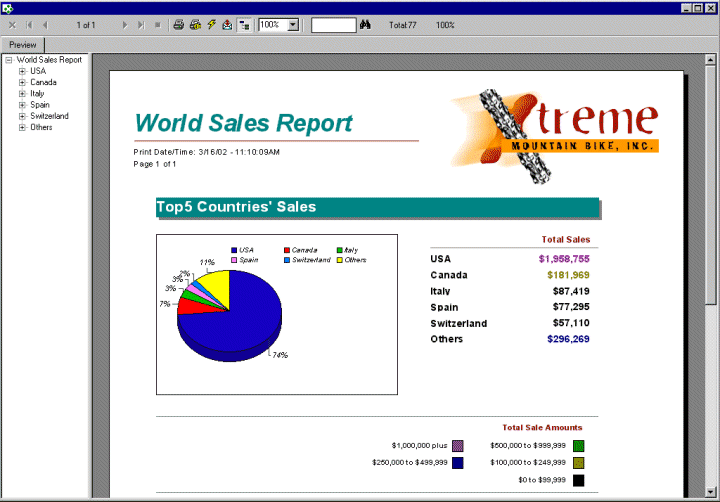
When the cView Crystal Reports reader software is installed on a PC, it allows you to view, print and export your Crystal Reports. Crystal Reports that include saved data can be open and viewed with cView on any PC. Reports can also be refreshed from the database for up-to-date information. Updating report data requires the PC to access the report's database, usually through ODBC. cView fully supports the use of report parameters and can log in to secure databases such as Oracle or SQL Server.
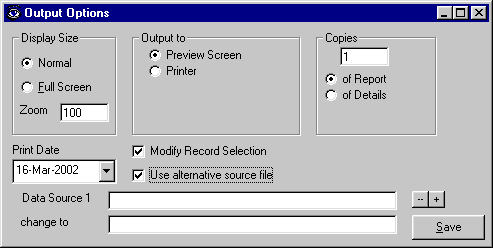
The full version of cView allows modification of print settings and display settings. The latest release also allows changing of report file locations for data file based reports using FoxPro, Btrieve, or Access so that the same report may be run with different data sets.
cView may be used alone or with one of our report schedulers, cViewMANAGER or cViewSERVER. With the report schedulers, reports may be run on a schedule and saved to a file or sent by email for viewing with cView.
Key Features
- View reports with Saved Data, including reports scheduled with cViewMANAGER or cViewSERVER.
- Refresh the report from the database for up-to-the-minute data.
- Refresh reports with full support for report parameters.
- Print reports.
- Export reports to PDF, Word, Excel, and other formats.
- Filter data in reports using a Crystal Record Selection Formula.
- Run the same report with different sets of data (file based reports using FoxPro, Btrieve, or Access).
Tip: When setting up ODBC connections for Crystal Reports or cView
on 64-bit Windows, use the 32-bit ODBC Administrator tool located atC:\Windows\SysWOW64\odbcad32.exe
