

ReCrystallize Pro
Unlock Codes
Due to circumstances beyond our control, we are unable to provide new Unlock Codes for older ReCrystallize Pro versions that used the serial number and unlock code system pictured below. This affects ReCrystallize Pro versions released prior to 2006.
In 2006, the company that provided the software to create Unlock Codes for these ReCrystallize Pro versions abruptly ceased operation and support. We immediately transitioned to the Activation Code system which remains in use. We took extraordinary measures to retain the unlocking capability for older ReCrystallize Pro versions as long as possible. A hardware failure in 2011 has resulted in loss of the unlocking capability for these older ReCrystallize Pro versions.
We value every ReCrystallize Pro customer and apologize for this situation. We are now offering a discounted upgrade from any previous ReCrystallize Pro version to the current release. The current ReCrystallize Pro version remains compatible with prior versions of Crystal Reports while also supporting new Crystal Reports releases.
ReCrystallize Pro Single Developer - License Upgrade Only - $395
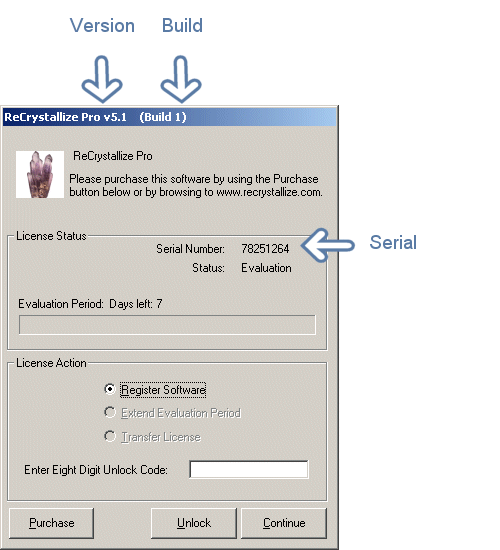
If your ReCrystallize Pro screen is not similar to the example above, please use the Activation request form.