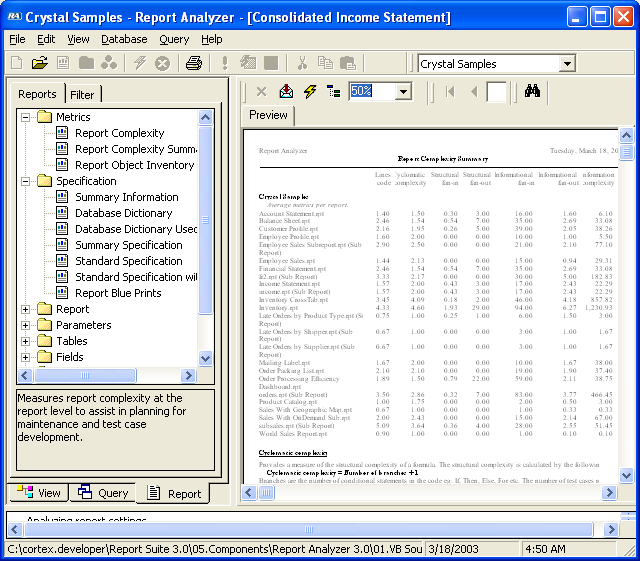
Report Analyzer — Quick Tour
Document and optimize your Crystal Reports
Documenting
Starting Report Analyzer for work on your Crystal Reports couldn't be easier. Simply indicate where your reports are stored:
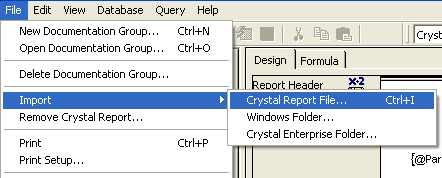
You can import your report designs into Report Analyzer from Windows or Crystal Enterprise servers. Report Analyzer painstakingly analyzes and documents each report design element, and updates the documentation database accordingly.
Exploring Documentation
Once documented, the main window profiles each Crystal Report's design for exploration. From here you can view property settings for all design elements, performance and design suggestions, a report diagram, all formula code and all object cross references.
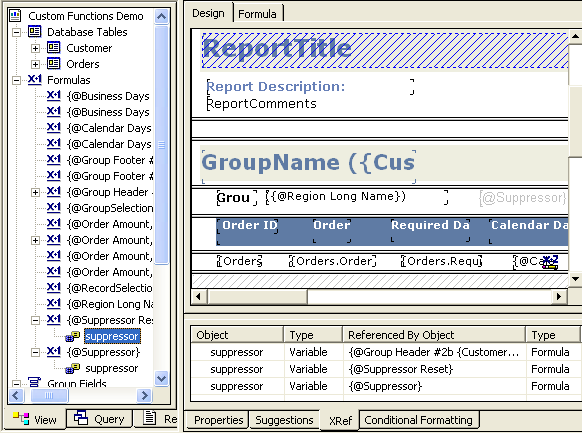
Selecting an object in the diagram displays the associated information in the tabbed windows below (Properties, Suggestions, and so on).
Querying Documentation
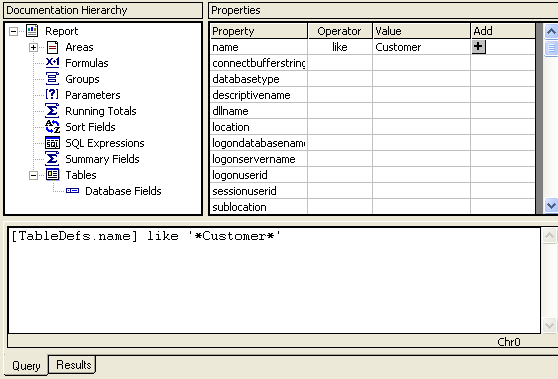
The query window allows you to query the documentation database to assist change management control. From here, you can perform "What-If" analysis to determine the impact changes to a database or other report settings will have on your entire reporting project.
Reporting Documentation
The report window allows you to print documentation about your reporting
projects. Report Analyzer comes with over 65 documentation reports, providing
a wealth of information about your report designs. These presentation quality
reports are ideal for documentation, assisting in development, and quality review.